
Data centers rarely slow down overnight. It usually starts with a few small annoyances. An application takes longer to load, database queries begin to drag, and backup jobs start running into business hours. As users, transactions, and data volumes grow, those minor delays can quickly turn into a systemwide performance problem.
When that happens, servers, memory, and networking are often the first suspects. IT teams may add compute resources or increase bandwidth, only to see little improvement. If storage cannot deliver data fast enough, the rest of the infrastructure is left waiting. The real issue may be hiding in plain sight inside the enterprise storage layer.
So, what causes a storage bottleneck, which warning signs should IT teams look for, and how can the problem be resolved? Let’s break it down.
What Is a Storage Bottleneck?
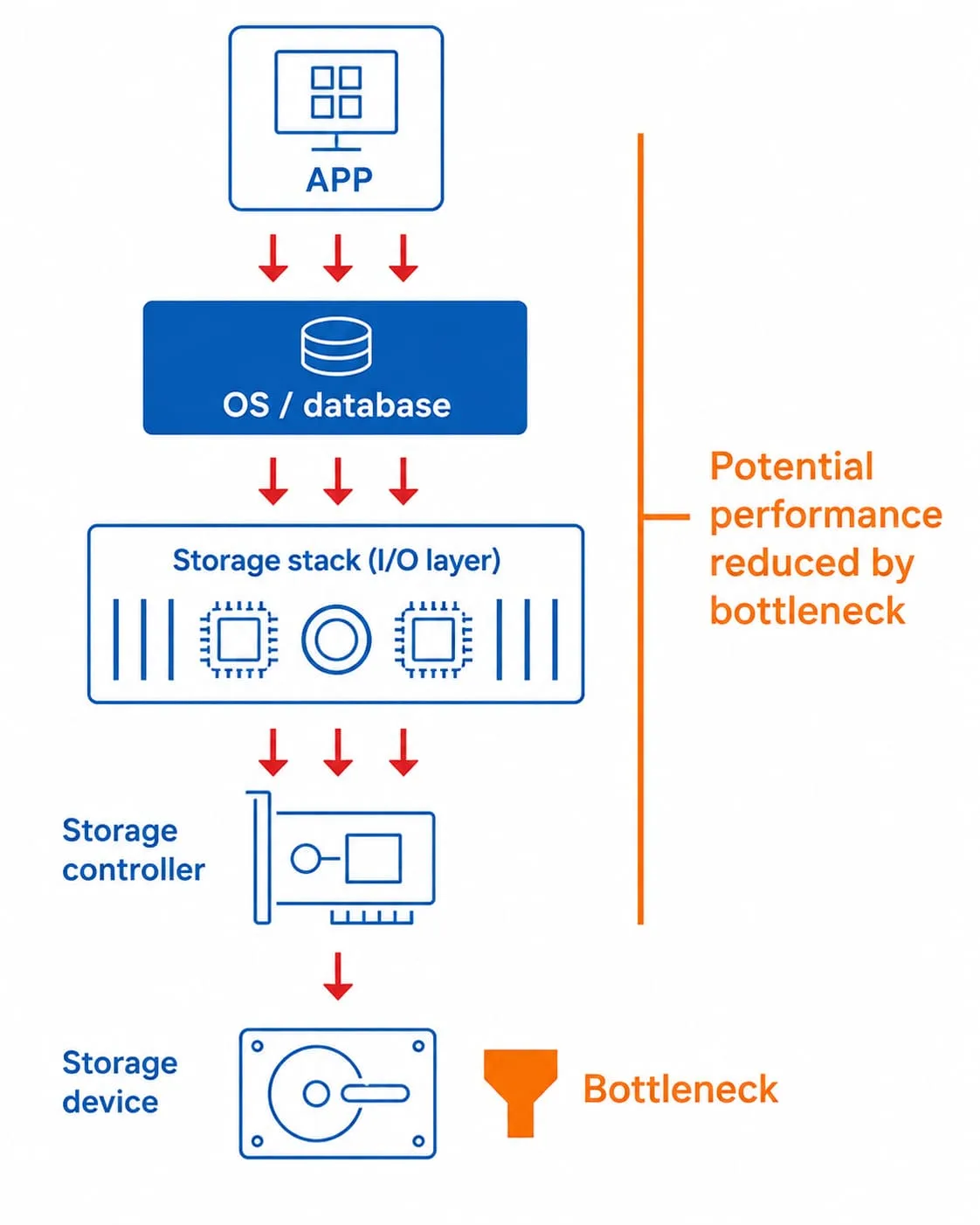
A storage bottleneck is a performance constraint that occurs when storage cannot read, write, or deliver data as quickly as the system needs it. I/O requests begin to pile up, forcing applications, databases, CPUs, and GPUs to wait for data. Once that happens, the entire infrastructure can slow down even when plenty of compute and network capacity is still available.
What Causes Storage Bottlenecks and How to Spot Them?
Storage bottlenecks rarely announce themselves with a clear alert. Instead, the signs appear across the environment. Applications become sluggish, routine jobs take longer, and performance grows less predictable. Since these symptoms can resemble server, memory, or network issues, storage is often overlooked during troubleshooting.
The most common causes and warning signs include:
I/O Demand Outpaces Storage Performance
Every user, application, and transaction adds more read and write requests. When too many arrive at once, storage becomes saturated, I/O queues grow, and response times begin to climb.
Older Interfaces and Architectures Restrict Data Flow
Plenty of available capacity can create a false sense of confidence. A storage platform may still have free space while its interface, media, or underlying architecture can no longer move data fast enough for modern workloads.
Applications and Databases Respond More Slowly
Users often notice the impact when applications take longer to load. Database queries and transactions may also slow down, especially during periods of high demand or when services rely on real-time data access.
Virtual Machine Performance Becomes Unpredictable
In virtualized environments, several virtual machines may compete for the same storage resources. One I/O-intensive virtual machine can consume more than its share and affect the performance of neighboring workloads.
Backup and Recovery Windows Keep Growing
Backup jobs place heavy read and write demands on storage. When they begin exceeding the planned backup window, the storage platform may be struggling to keep up. The same limitation can also extend recovery times when services need to be restored quickly.
CPUs and GPUs Spend More Time Waiting
Low CPU or GPU utilization during a demanding workload does not always point to excess compute capacity. Those processors may simply be waiting for storage to deliver the data they need.
Why Storage Bottlenecks Matter for Data Centers in Indonesia?
As cloud computing, AI, data analytics, and always-on digital services expand across Indonesia, data centers must support a broader mix of workloads. Customer transactions, virtual machines, analytics jobs, and backups may all access the same storage platform at once. Each workload also places different demands on the system. Databases depend on low latency, while analytics and AI need sustained throughput to move large datasets efficiently.
Effective enterprise storage planning requires the right balance of capacity, IOPS, throughput, latency, and scalability. When read and write performance falls behind, storage bottlenecks can restrict virtualization, hybrid cloud, high-transaction databases, and AI infrastructure. Even faster servers and network upgrades will struggle to deliver their full value while the data path remains constrained.
How Enterprise SSDs Help Clear the Bottleneck
Addressing a storage bottleneck starts with confirming where the delay is coming from. IT teams can examine latency, I/O queue depth, IOPS, throughput, utilization, and access patterns to determine whether storage is the real problem. This allows modernization efforts to focus on the component that is actually holding performance back.
Once storage is identified as the constraint, enterprise SSDs can provide the consistent read and write performance required for 24/7 operations. Low latency, high endurance, and built-in data protection make them well suited for enterprise data storage environments. Enterprise NVMe SSDs also provide greater bandwidth and parallel queue processing, helping applications, databases, and virtualized workloads stay responsive under heavy demand.
Keeping GPUs Busy Starts with the Right Storage
AI workloads are especially unforgiving of slow storage. GPUs need a steady stream of data while loading datasets, running preprocessing and AI training, saving checkpoints, and performing inference. When data arrives too slowly, expensive GPU resources sit idle and processing jobs take longer to complete.
That raises the bar for storage. AI environments need parallel access across multiple GPUs or nodes while keeping pace with growing datasets and models. Retrieval-Augmented Generation (RAG) and vector databases also add frequent, latency-sensitive requests to the mix. High-performance storage keeps data moving so GPUs can spend more time processing and less time waiting.
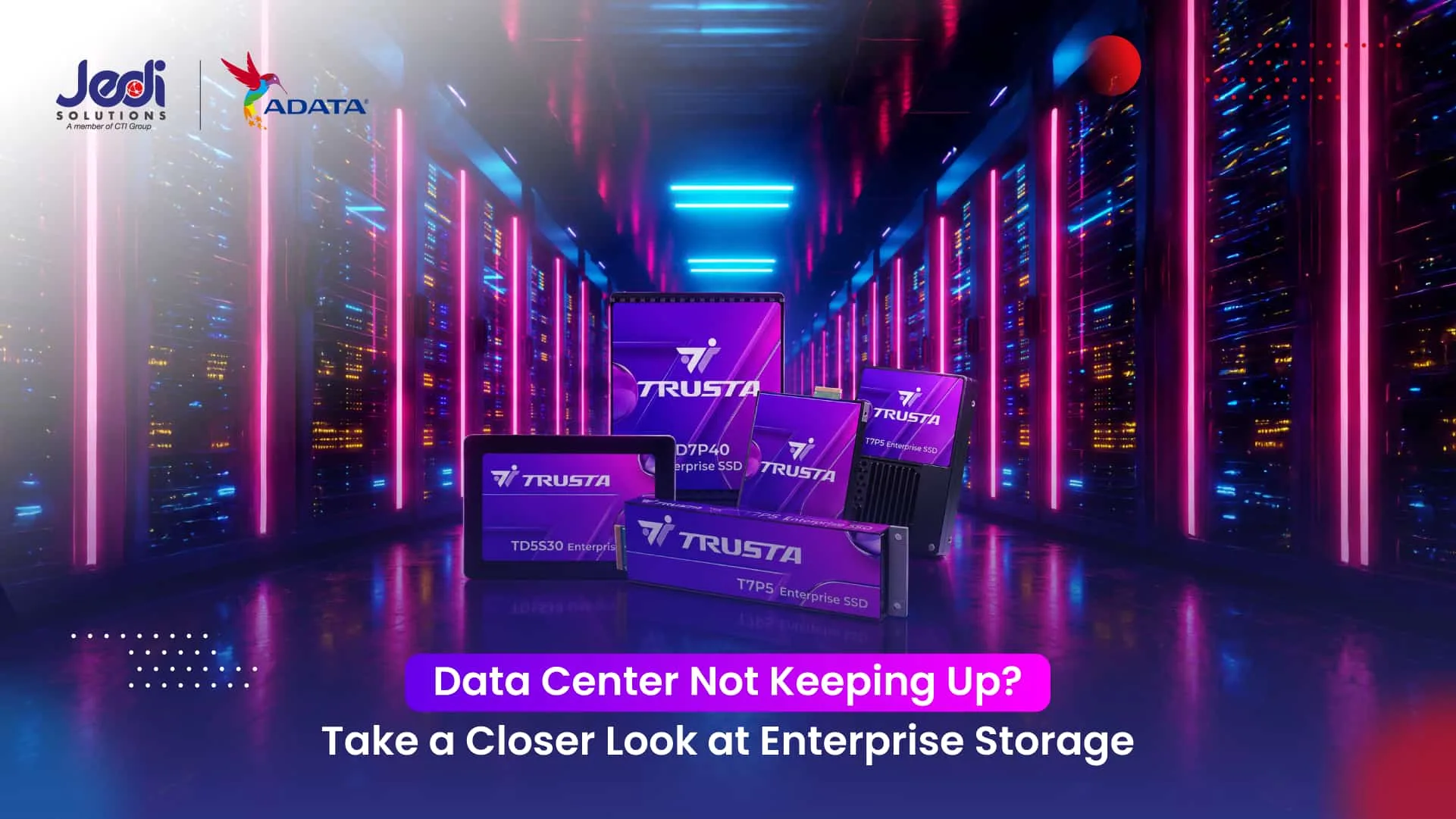
Modernize Enterprise Storage with ADATA TRUSTA
ADATA TRUSTA offers a portfolio of enterprise SSDs built to modernize data center storage. Designed for AI, cloud computing, virtualization, databases, and High-Performance Computing (HPC), these solutions combine consistent performance, low latency, power efficiency, and the reliability required for 24/7 enterprise operations.
For high-performance environments, ADATA TRUSTA offers the T7P5, an enterprise NVMe SSD built for demanding workloads with the following capabilities:
- Next-Generation Interface: PCIe Gen5 x4 and NVMe 2.0 provide a high-speed data path for I/O-intensive workloads.
- Faster Data Movement: Sequential read speeds up to 13,500 MB/s and write speeds up to 10,300 MB/s accelerate the movement and processing of large datasets.
- Responsive Parallel Access: Random read performance of up to 3.2 million IOPS allows more requests to be processed simultaneously across databases, virtualization platforms, and AI infrastructure.
- Enterprise-Grade Endurance: 3D eTLC NAND delivers the durability and consistent performance required for 24/7 operations.
- Comprehensive Data Protection: Power Loss Protection and End-to-End Data Protection help preserve data integrity during unexpected power loss or data transfer errors.
- Flexible Deployment: OCP 2.0 support and U.2, E1.S, and E3.S form factors make it easier to match different server configurations and data center designs.
Modernize Your Enterprise Storage with JEDI Solutions
Turn to JEDI Solutions, part of CTI Group, for enterprise storage modernization with ADATA TRUSTA. Backed by deep technology expertise, JEDI Solutions provides end-to-end support from planning through optimization, helping organizations address storage bottlenecks and build storage infrastructure that is responsive, reliable, and ready to scale.
Contact JEDI Solutions today to find the right enterprise storage solution for your data center.
Author: Danurdhara Suluh Prasasta
CTI Group Content Writer